product
Product Inventory Monitor
Stock per warehouse, quick stock actions and a board for post-shipment exceptions, on one ERPNext page.
ERPNext v15ERPNext v16
Overview
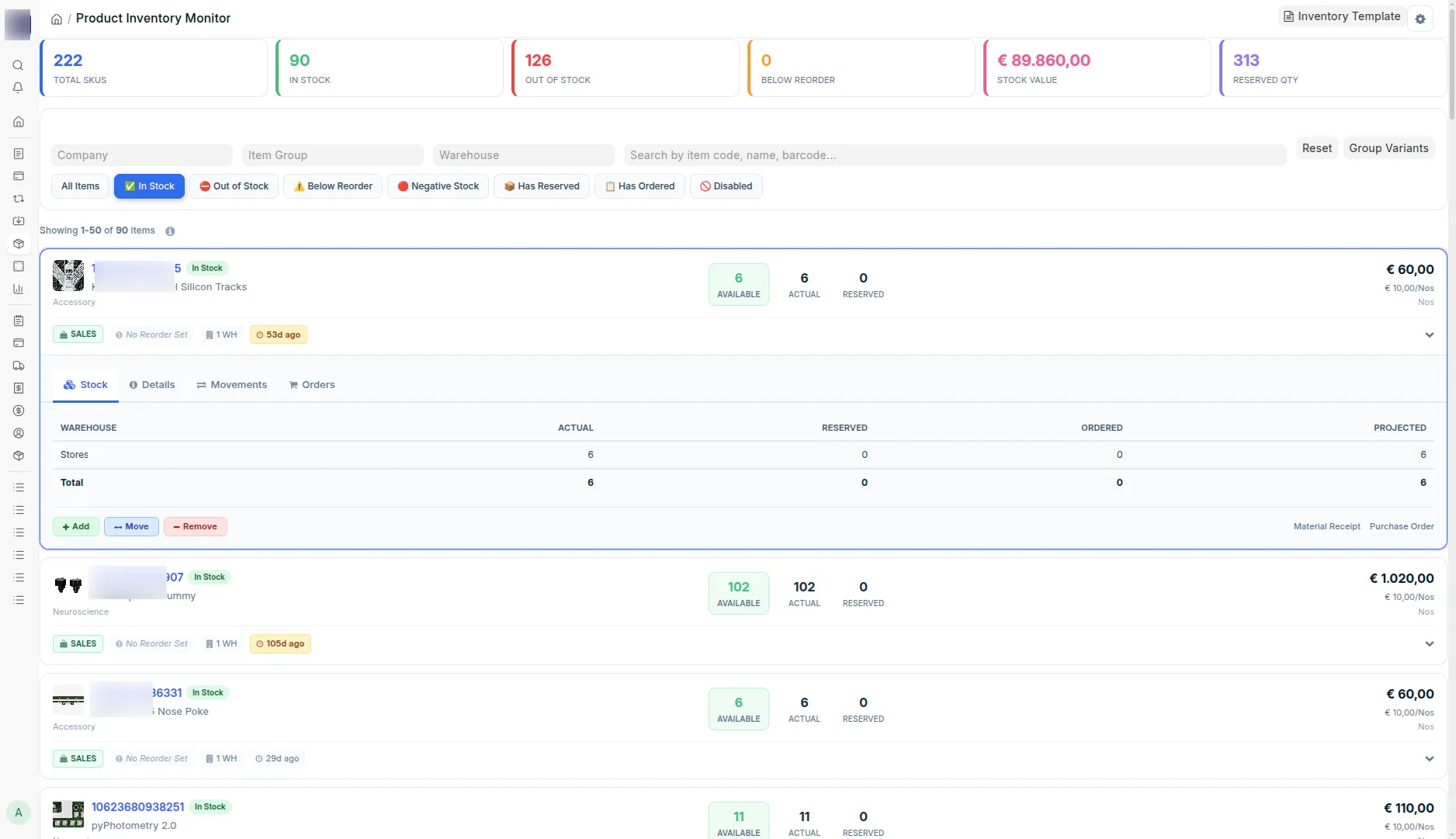
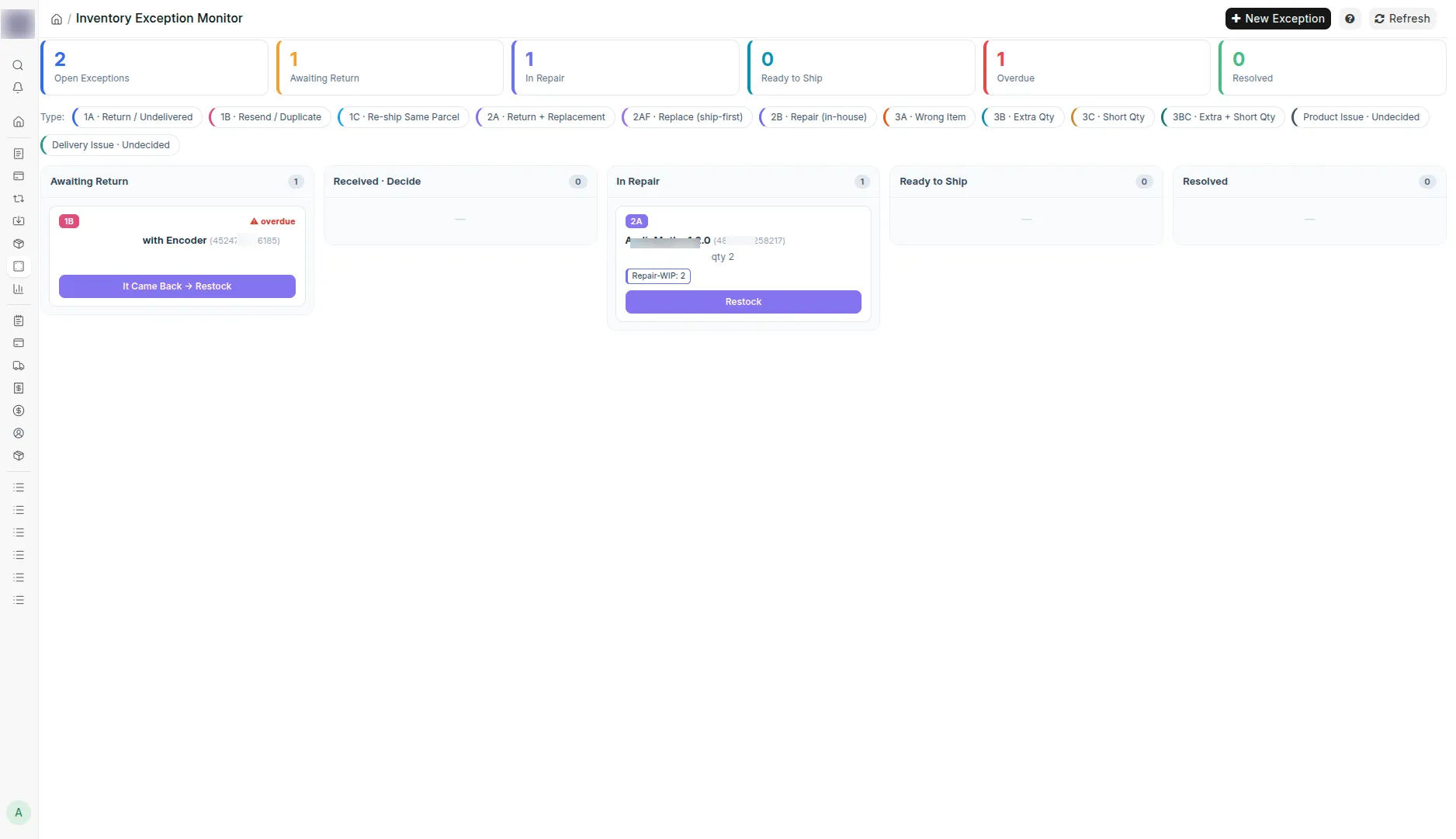
Product Inventory Monitor is an ERPNext Desk page that shows actual, reserved, ordered and projected stock per warehouse for every item, with quick actions that post Stock Entries for you. The same app carries the Inventory Exception Monitor, a kanban board for everything that goes wrong after shipping: returns, replacements, repairs and wrong quantities, each tracked as a record whose buttons post the stock documents. Built for ERPNext v15 and v16.
8quick filters
6stat cards
5exception buckets
Features
Stock overview
- 6 stat cards: total SKUs, in stock, out of stock, below reorder, stock value, reserved
- Actual, reserved, ordered and projected quantity per warehouse
- 8 quick filters, from in stock and out of stock to below reorder and negative stock
- Template and variant grouping; Product Bundle support
- Search by item code, name or barcode; company, item group and warehouse filters
Stock actions
- Add, Move and Remove create draft Stock Entries; a reason is required on Remove
- Movement history and open purchase and sales orders per item
- Draft Sales Order quantity shown against available stock
- Downloadable xlsx template and bulk Stock Reconciliation from the same file
Settings and performance
- Page size 25, 50 or 100, default view mode and excluded warehouses in PIM Settings
- Feature toggles per site
- Pagination and caching for thousands of SKUs
Exception board
- 5 buckets: cancel, product issue, delivery issue, wrong quantity, wrong item
- Kanban columns Awaiting Return, Received · Decide, In Repair, Ready to Ship, Resolved
- Follow-up date with overdue flag; chargeback decision: courier, customer or absorb
- Returns, repair and scrap warehouses and a return window in settings
Stock postings
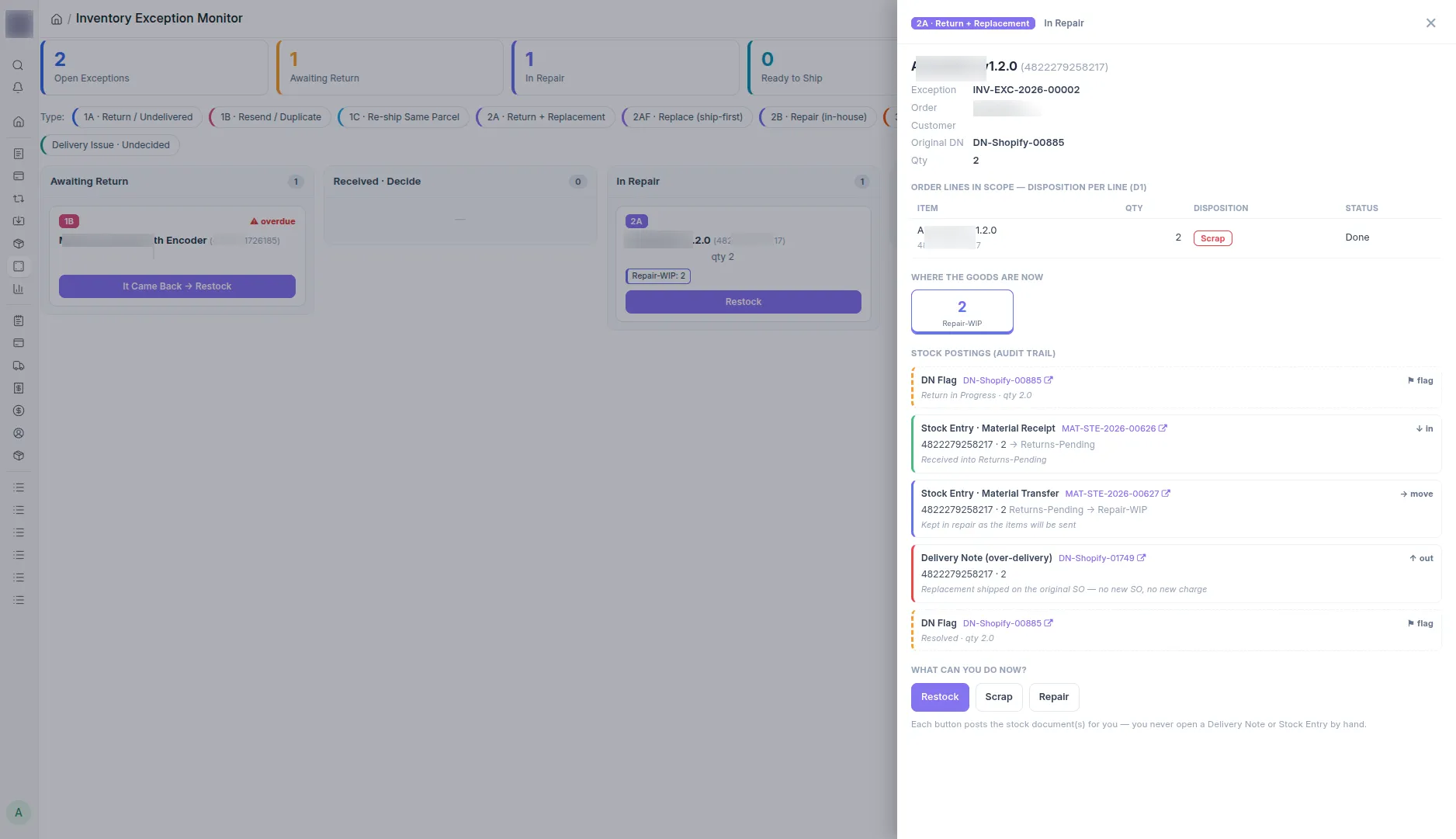
- Inbound goods are Stock Entries, never a return Delivery Note
- Resends are over-delivery Delivery Notes on the original Sales Order
- The original Delivery Note is only flagged, never cancelled or edited
- Every board button posts the ERPNext documents; nobody opens them by hand
Technical details
- Tested on
- ERPNext v15, ERPNext v16
- Built with
- Python, Frappe, ERPNext v15 and v16, JavaScript, SQL
- Type
- product
- Status
- In production
Private code. Contact me for details.
Have something slow, manual, or fragile in production?
Tell me what it is. I reply within two working days, with questions.
Let's connect