product
Sales Order Monitor
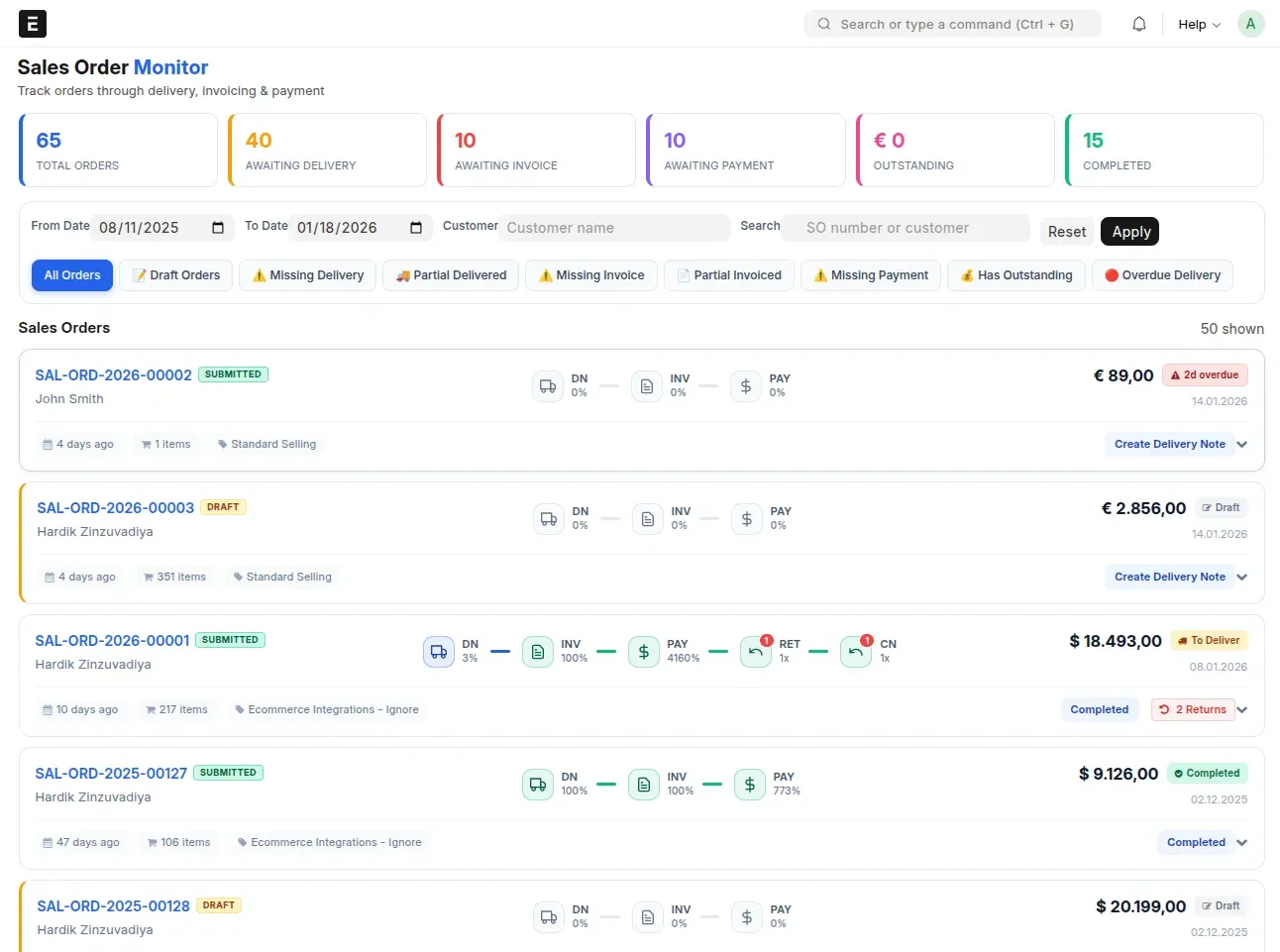
One ERPNext page that shows every Sales Order with its delivery, invoice and payment status and the next action.
ERPNext v14ERPNext v15ERPNext v16
Overview
Sales Order Monitor is a single ERPNext Desk page that shows the whole lifecycle of every Sales Order, from creation through delivery, invoicing and payment, and lets you filter to the ones that are stuck. Built for sales teams and operations managers who need to see fulfilment status and outstanding payments without clicking through linked documents. Open source, for ERPNext v14 to v16.
9quick filters
6summary stats
Features
Dashboard
- 6 stats: total, awaiting delivery, invoice or payment, outstanding, overdue invoices
- Date range and customer filters, search by order number or customer
- 9 quick filters: draft, missing or partial delivery, missing or partial invoice, and more
Order cards
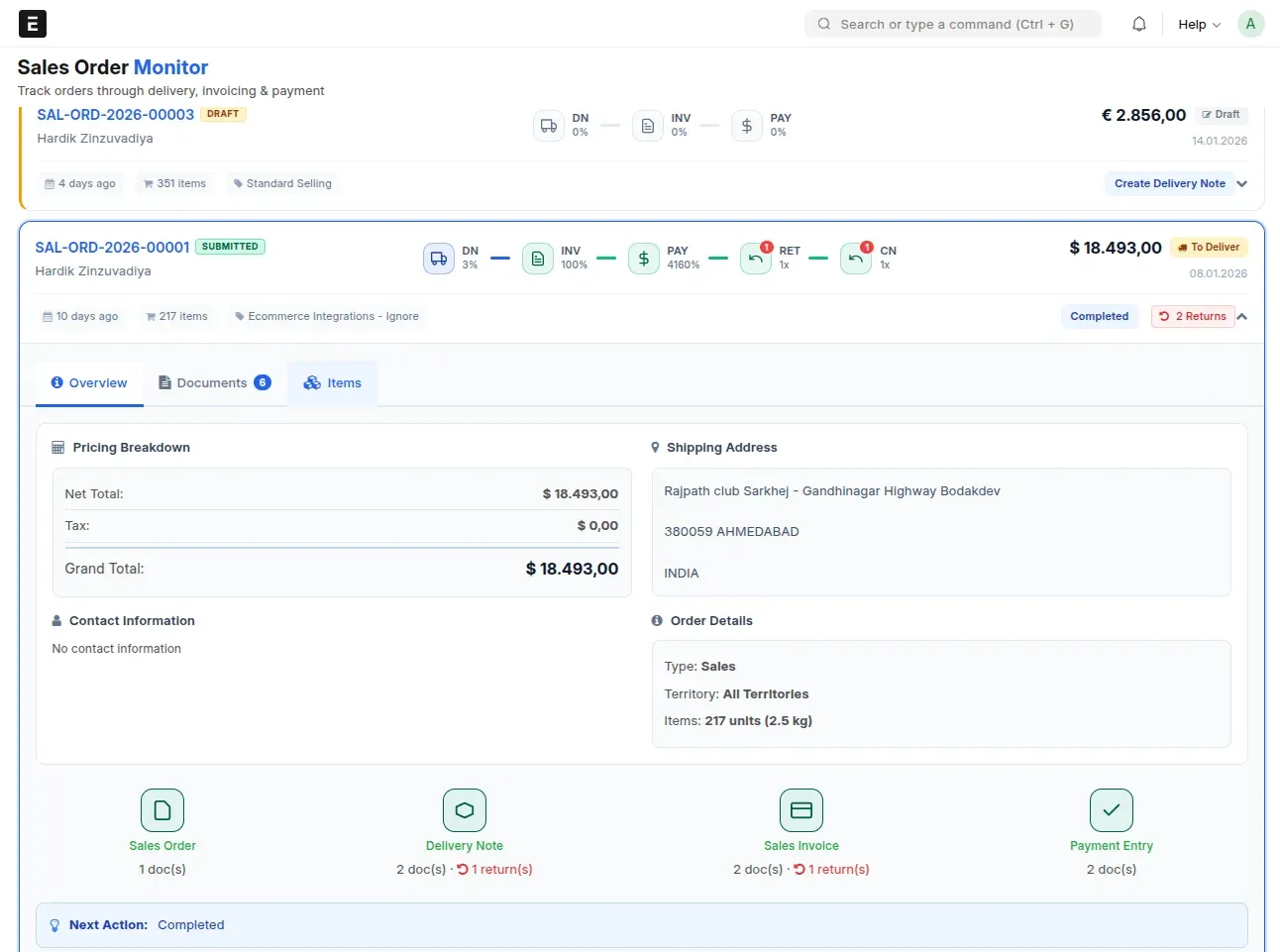
- Three columns: identity, process flow, financial
- Delivery, invoice and payment progress as percentages
- Grand total, outstanding, days remaining or overdue
- Next recommended action per order
Item tracking
- Ordered versus delivered versus invoiced per item
- Delivery Note returns and credit notes netted into the quantities
- Status badges; 50 items per page
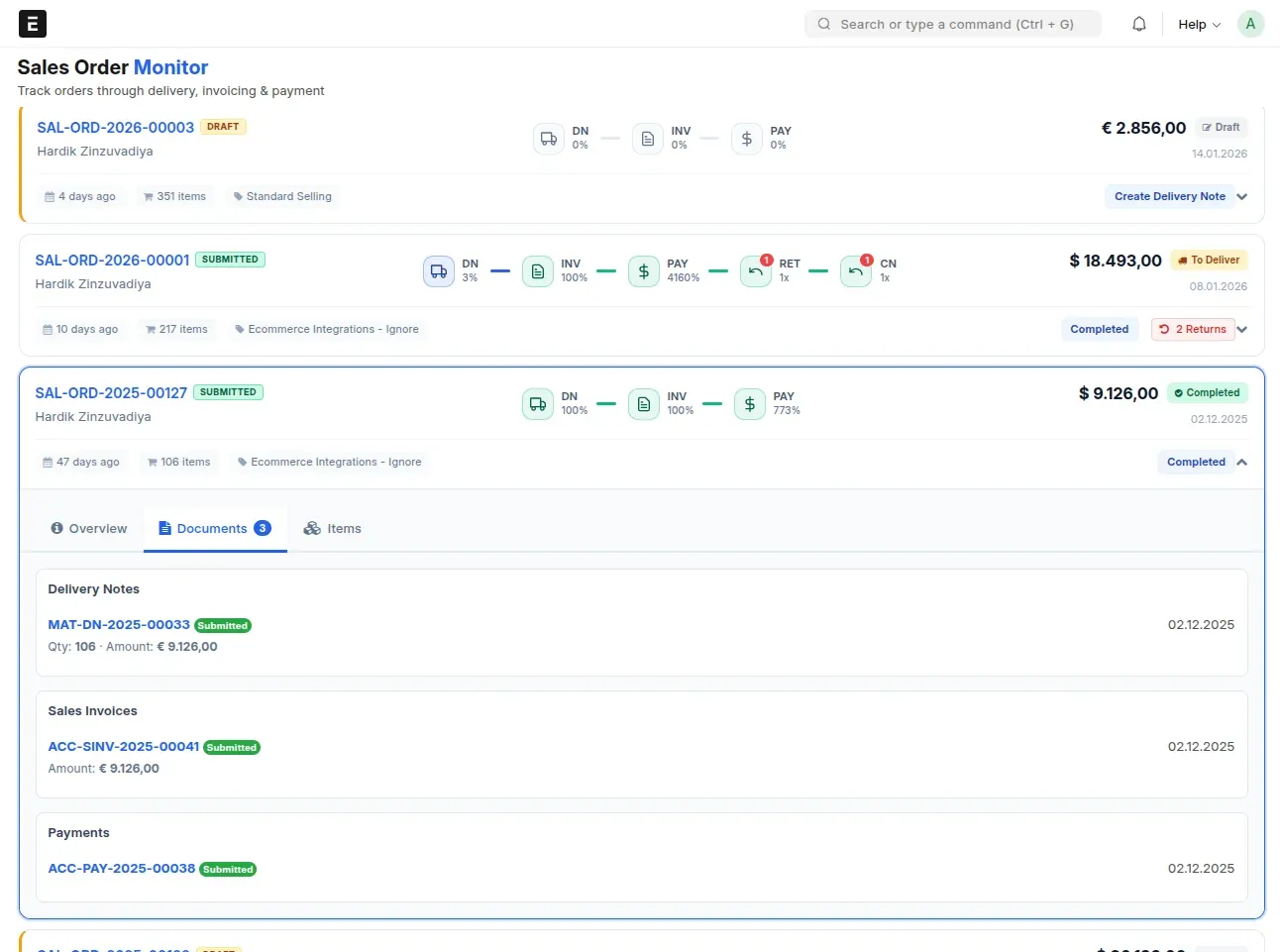
Linked documents
- Delivery Notes, Sales Invoices, Payment Entries and returns on the card
- Sales Invoices with their outstanding amount, payments with mode and date
- One-click submit for drafts
Performance
- One optimised SQL fetch, then client-side filtering
- Modals load lazily
- Installs with bench get-app on-premise or on Frappe Cloud
Technical details
- Tested on
- ERPNext v14, ERPNext v15, ERPNext v16
- Built with
- Python, Frappe, ERPNext v14 to v16, JavaScript, CSS, SQL
- Type
- product
- Status
- In production
Have something slow, manual, or fragile in production?
Tell me what it is. I reply within two working days, with questions.
Let's connect